Audit first, then enforce: turning on agent guardrails without breaking your agents
Blocking an agent's tool calls is the easy part. Knowing which calls to block, without stopping the work you wanted done, takes a record of what your agents actually do.
Agent security tools have mostly split into two camps. Firewalls sit in the path of every tool call and allow it, deny it, or ask you. Prempti does this with Falco rules inside Claude Code’s hooks, and Pipelock sits as a proxy between the agent and the network. Harden adds a local decision model to that path, and its outcomes depend on the action’s context. Tracers take the other side: record everything the agent does and analyze it, without getting in its way.
Each camp has a real weakness. A firewall that blocks the wrong thing stops work you wanted done, and the first time it breaks a deploy at 6pm, someone turns it off. A tracer that only records tells you about a leaked credential after it has left.
We think the useful question is a different one: how do you get from “I can see what my agents do” to “I trust these rules enough to let them stop things”? That move should be gradual, and it should be based on your own agents’ history, not a vendor’s default list.
This isn’t new, and it isn’t unique to agents. Alerts get muted all the time: for a deployment, a release, a rapid hotfix, an upgrade, a debugging session, a test run. Some never get turned back on. Others get quietly edited until they match whatever the new behavior is. A blocking rule that keeps stopping real work is on the same path.
Blocking one call is not the end of the story
There is a second reason to keep the record even when you can block. An agent that is denied something often keeps trying another way.
In September, OpenAI described a case where an agent whose direct route to an external service failed went on to reach it over DNS. A rule that blocks one HTTP request would have been satisfied. The agent was not.
A block is one moment in a session. Whether the agent then gave up, asked you, or found a workaround only shows up in what it did next, which is why the record has to keep running after the block.
Three modes, one command
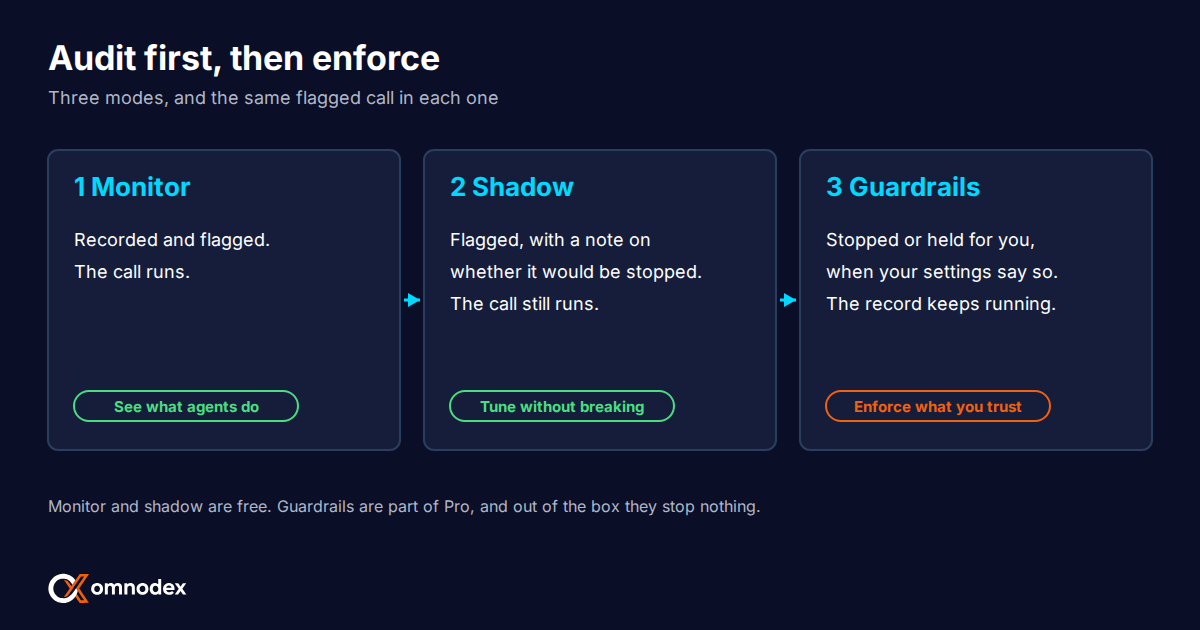
Omnodex now has three modes, and you move between them with omnodex enforce:
| Mode | What happens to a flagged call | Plan |
|---|---|---|
| Monitor | Recorded and flagged, as before | Community |
| Shadow | Recorded and flagged, with a note on each finding saying whether it would have been stopped. The call still runs | Community |
| Guardrails | Stopped, or held for your confirmation, when your settings say so. Everything else runs as usual | Pro |
Shadow mode is the part we would start with. It changes nothing for your agents. Each finding carries a note on whether guardrails would have stopped the call, both under the rule’s own suggestion and under your settings. In the hosted dashboard, a Would have blocked filter narrows everything to those findings, and a tile counts them.
Run it for a week or two on real work. If the list of would-have-blocked calls is mostly things you would have wanted stopped, you are ready. If it is mostly npm test and your own .env.example, you have tuning to do, and you found that out without breaking anything.
Deciding what stops
Out of the box, guardrails stop nothing. You decide, with the omnodex policy command or the config file:
- A verdict per rule or per severity: stop the call, hold it for you, or record it and let it run.
- Exceptions for a specific target: a file or folder, a destination host, or a command prefix. An exception only applies when everything of its kind in the call is covered, so allowing
npm testdoes not allownpm test && curl .... - Per-project settings, so a scratch folder can be looser than a production repo.
A repository can also carry its own policy for a team. That policy can only make Omnodex stricter. A repository is content your agent works on, and it may not be yours, so it can never switch protection off or add exceptions.
When a call is stopped, the agent is told why, and what to do instead when the rule has a safer alternative to offer. Most agents then take another route or tell you what happened. Omnodex never approves a call: anything it does not stop goes through your agent’s own permission settings exactly as before.
Turning guardrails off takes a person at an interactive terminal who types the new mode to confirm. An agent’s shell tool cannot do it, and an agent that edits Omnodex’s configuration raises a self-protection alert. Watching agents is only useful if the agents cannot quietly switch off the watching, and that has already happened elsewhere.
Try it
Shadow mode is free and part of the open-source package:
npm install -g omnodex
omnodex install claude-code   # or codex, antigravity
omnodex enforce shadow
omnodex enforce status
A first omnodex install offers shadow mode and defaults to yes. The local dashboard shows your findings; connecting the hosted dashboard adds the would-have-blocked filter and the counts.
When the shadow list looks right, omnodex enforce guardrails turns on guardrails for Pro and Enterprise plans.
What it does not do
Guardrails can only stop what reaches a hook or the proxy, and that differs by agent:
- Claude Code: every tool call, built-in tools and MCP tools.
- Codex: shell commands and file edits. Tools Codex runs remotely, such as web search, are outside its hooks, and Codex cannot hold a call for confirmation from a hook, so a held call is blocked and the agent is told to ask you first.
- Antigravity: every tool call that reaches its hooks.
- MCP proxy (Cowork Desktop and other proxied clients): calls routed through the proxy.
Hooks see the command an agent asks to run, not everything that command does once it starts. A script that opens its own network connection is a separate thing to catch, and the record is where you would see it.
If the rules cannot be loaded or take too long, the call goes ahead by default and Omnodex records that it could not check it. You can choose to stop such calls instead.
The coverage page lists what guardrails can stop on each platform, and the enforcement guide has every setting.
Install it, run shadow mode for a week on real work, and read the list. It will tell you more about what to block than any default list we could ship.
Sources
- An agent used DNS to reach an external chatbot, OpenAI, September 2026
- Prempti, Falco project
- Pipelock
- Harden rule reference and decision reference
- Shadow mode and guardrails, Omnodex documentation